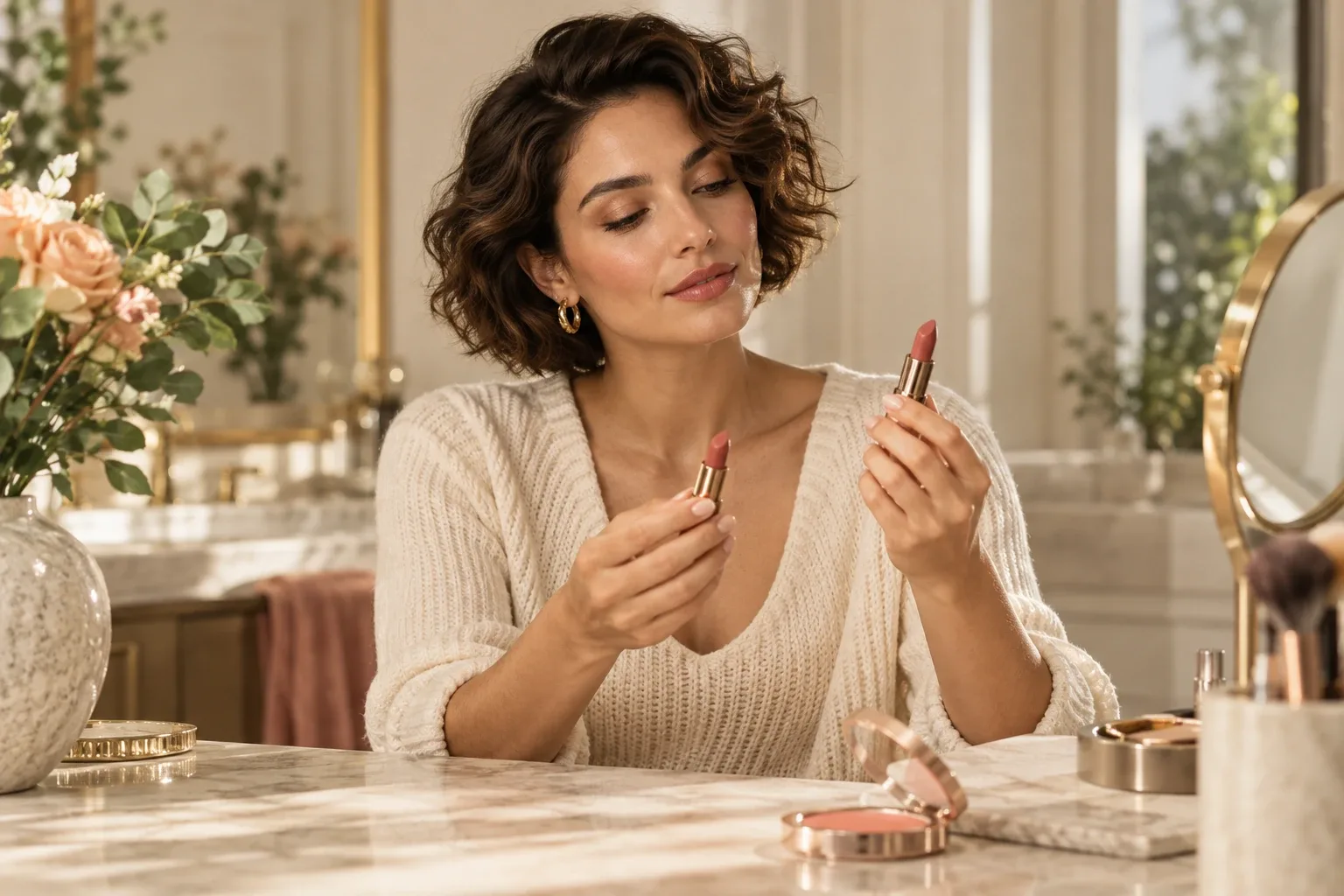
The most useful starting point for AI makeup recommendations is explaining what you want and how much time you have. A photo cannot tell an app all your preferences. Time, intensity, and favorite colors give a suggestion a practical direction.
Decide on three preferences
- Time: roughly how long do you want to spend getting ready?
- Intensity: do you prefer a light, medium, or more defined look?
- Colors: which tones do you like, and which would you rather avoid?
This is not a shopping list. Start with products you already use and techniques you know. Choosing one detail from a look can be enough; you do not have to reproduce every suggestion.
Examples of a useful makeup goal
For an everyday look, try: “I have about five minutes. I want a light look with rose tones and one focal point.” That describes time, intensity, and color together. It is a preference, not a guarantee that a result will take exactly five minutes.
For a stronger focal point, try: “I would like the lips to stand out while the eyes stay softer.” The purpose is to explain your decision, not impose a rule on a particular face shape.
How to explore ideas in FaceReport AI
Choose a portrait in the app to create a makeup report. You can add preferences such as available time, intensity, and favorite tones. Read the photo-processing explanation before consenting; report access depends on the usage rights shown in the app.
The application guide breaks the idea into smaller steps. You can mark completed steps and return to where you left off. Save a favorite result with a name and notes if you want to revisit it. Explore the app or open the US App Store page.
If the colors do not look the same in person
The source photo, screen settings, and room lighting can affect perceived color. Do not treat an image as an exact product match or a definitive undertone assessment. Take the general palette idea and evaluate your own products in your own light. Use the portrait checklist if the input needs work.
Change one thing after the first attempt
If a look feels too strong, reduce intensity next time. If the palette is the issue, change the color direction while keeping other preferences similar. This makes the next request more specific.
FaceReport AI lets you request a new makeup version from the original portrait with a described change. A new version uses the normal report allowance, and the previous report is kept. The generated details are not guaranteed to remain identical. See how to assess AI reports for the limits.
Three AI makeup recommendation examples to adapt
These are example preferences you can express using the controls or preference fields available in the app. They are not customer results or promises of a specific generated look.
A short weekday routine
Goal: “About five minutes, light intensity, rose tones.” Choose one detail to keep when you read the report, such as a soft lip. If the suggested routine has more steps than you want, skip optional areas and use familiar products. The time you enter is a planning preference, not a timed performance claim.
A more defined evening look
Goal: “Medium intensity, warm brown eyes, softer cheeks.” Look at the balance between the eyes and cheeks in the generated idea. If both feel too strong, describe one adjustment for a new version. Changing the focal point and palette together makes it harder to tell which change helped.
A color you already own
Goal: “Rose lip direction, lighter cheek color, simple eyes.” Compare the idea with your own lipstick and blush in the light where you get ready. An AI picture is not a shade-matching tool or evidence that a particular product will look identical on you. Our blush and lipstick guide offers ways to adjust intensity.
What does “personalized” mean here?
It means that your selected portrait and preferences help shape the request. It does not mean the app knows your allergies, product sensitivities, exact undertone, available products, or skill level. Decide those things yourself and follow each product's instructions. You can use a color idea while ignoring a technique you do not want to try.
An AI makeup image versus a makeup tutorial
The image gives you a visual direction; the application guide gives you steps to consider. Neither guarantees that makeup applied in person will reproduce the generated image. Keep skin texture and ordinary differences between screen and mirror in mind. A useful result is an idea you can adapt, rather than an exact copy.
Before starting, ask: do I want a complete look, or just one suggestion for lips, cheeks, or eyes? If you only want one area, you can keep the rest of your routine. Read the natural makeup guide for a lighter starting point.
Keep a short note for next time
Write down the time you had, the color detail you liked, and one thing you would change. That turns “makeup that suits me” into preferences you can act on. The everyday routine guide helps keep the process manageable; you do not need the same look or number of steps every day.
INSIDE FACEREPORT AI
Turn a preference into a makeup idea
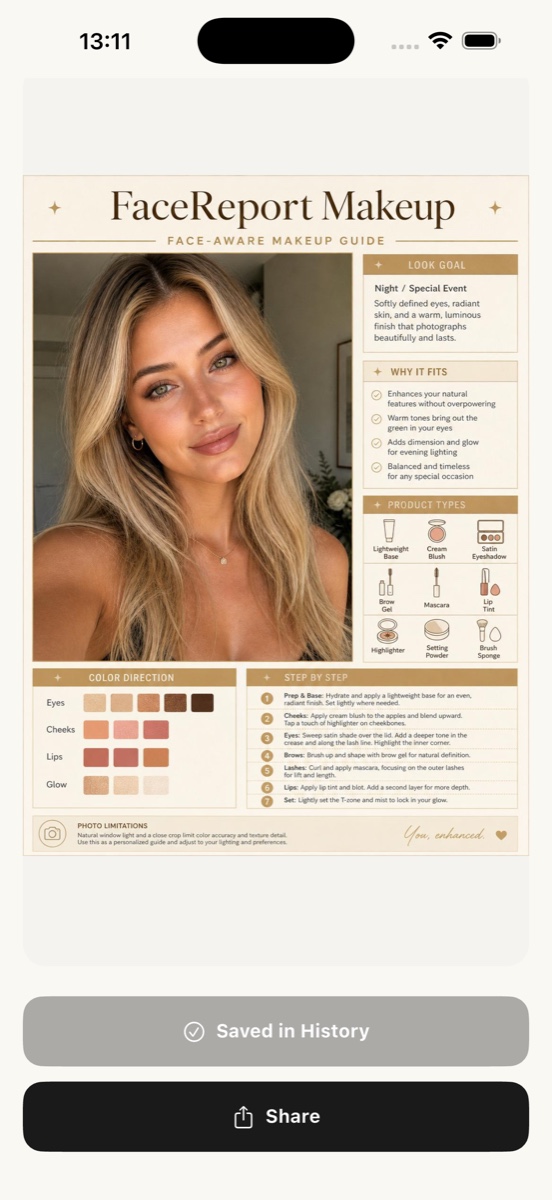
Example preference: “Light intensity, rose tones, simple eyes.” The screenshot shows a separate night/special-event report to demonstrate the layout.
- Choose a portrait and specify time, intensity, and favorite tones.
- Explore the color direction and application steps in the makeup report.
- Choose one idea to try and adapt the remaining steps to your routine.
Photo selection, consent, and reports happen in the app. AI ideas may be incorrect. Access and current prices are shown in the app.
For information and inspiration. How we prepare our guides ↗ · Türkçe sürüm ↗